Ready when you are. Send your artwork today — we'll take care of the stitches.
Digitizing for Embroidery Shops

Files your operators can load and run.

You own the machines and the customers. We handle the digitizing so your heads stay busy and reorders can run from the same approved file.
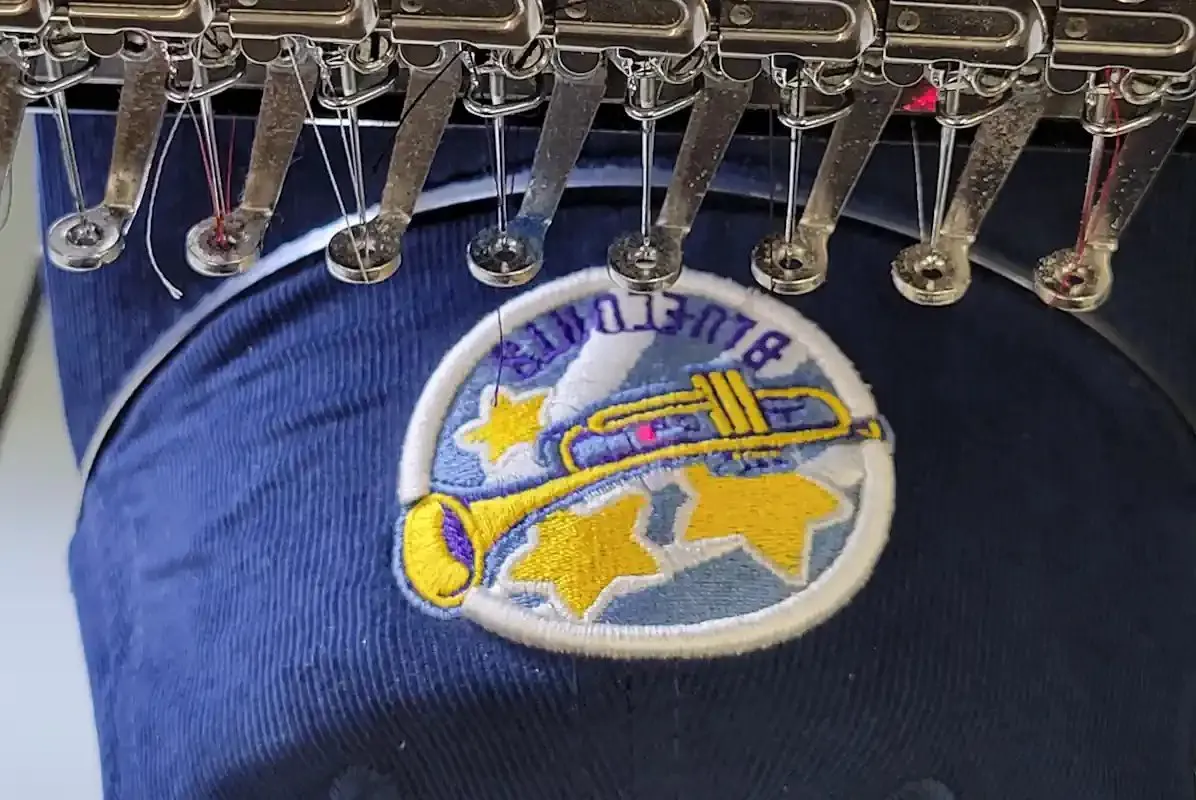
Embroidery Shops & Contract Decorators embroidery example

Who this is for

Embroidery Shops & Contract Decorators

This page is for shop owners, production managers and contract decorators running single-head or multi-head equipment who would rather not keep a digitizer on payroll, or who need overflow help when the in-house queue backs up. You are sewing customer logos on polos, caps, jackets and bags, often in runs of dozens or hundreds, and every minute a head sits idle or stops for a thread break costs you money.

What gets in the way

What slows a production floor down.

01

Excess trims and jumps

A file with poor pathing can add dozens of trims per piece. Across a 12-head run that is real machine time lost on every cycle, plus more chances for a thread to pull out of the needle.

02

Inconsistent reorders

When a customer comes back six months later, the file has to sew identically. Files from different digitizers or ad-hoc edits drift in density and color order, and the customer notices.

03

Unclear color sequences

Operators need to know which needle gets which thread before they press start. A file without a usable color sheet means guesswork, re-threading and wasted test sews.

04

Customer-supplied files

Shops routinely receive old or poorly built files from customers. Running them as-is risks thread breaks and puckering, and the shop wears the blame for the result.

Garments & products

The work that runs through a typical shop.

  • Polos and knit shirtsPiqué knit needs enough underlay to keep stitches from sinking into the texture, without so much density that the logo turns stiff.
  • Structured capsBuilt as dedicated cap files, sequenced center-out, rather than a resized version of the shirt logo.
  • Jackets and outerwearNylon shells and softshells need lighter density and careful needle penetration counts to avoid perforating the fabric.
  • Tote bags and canvasHeavy canvas tolerates higher density, but placement is often close to seams or handles, so size limits are confirmed up front.
  • Fleece and sweatshirtsThick pile needs an edge-run and lattice underlay so the stitches sit on top of the loft instead of disappearing into it.

How we work with you

Digitizing built around run time.

We path each design to keep travel runs hidden under later fills and to group same-color objects so the machine changes needles as few times as possible. Trims are added where a jump would show or snag, and removed where a hidden travel stitch can do the job.

Every digitizing order comes with a color and stitch sheet your operator can read at the machine, and the machine files we deliver are yours to reuse. If we keep your customer artwork on record, edits and reorders start from the same master file instead of a new build.

  • Pathing planned to reduce trims and jumps
  • Color and stitch sheet with every order
  • Fabric-specific versions of the same logo
  • Your choice of machine format, including DST and EXP
Upload Artwork

Explore more about outsourcing digitizing for your shop

For shop owners and production managers: briefing an outside digitizer, approving files, running mixed machines and keeping reorder records

Send a work order, not just a logo

Most revision rounds start with a detail that never left the shop. Along with the customer's artwork, send:

  • The approved mockup your customer signed off, and the finished size for every placement on the order.
  • The garment: brand and style number if you have them, and the fabric. A performance polo and a heavyweight hoodie on the same order often need different settings.
  • The machine for each placement: the file format it reads and how many needles it has.
  • Your thread line and color numbers, so color stops can be described in the codes your operators actually load.
  • Hooping and backing: cap frame or flat hoop, and the backing you plan to run.
  • Your job or PO number, so files and revisions stay matched to the right order.

Approving a new file before the run

For what to look for in the stitching itself, see the sew-out checklist on our embroidery digitizing page. On the production side:

  • Sew the first piece on the order's own garment and backing, rather than whatever scrap is at hand.
  • On a multi-head machine, look at the first piece from each head before releasing the whole run where you can. A problem that appears on one head only, such as uneven tension or a worn needle, points to the machine rather than the file.
  • If something looks wrong, photograph the front and the back. The back of a satin area shows whether top and bobbin tension are balanced, which helps separate a setup problem from a digitizing problem.
  • In a revision request, name the element and the color stop involved, and note anything you already adjusted on the machine.
  • For licensed marks such as schools, teams or franchises, some licensors require an approved sew-out before production, so build that step into the schedule.

Running one design across different machines

  • List every format you need when you order, rather than converting later. A standard order includes one format, and extra formats are confirmed with the quote. File conversion keeps the same stitches, but whether the result runs cleanly can vary from one machine model to another, so test a converted file before a full run.
  • A DST file carries the order of color changes, not the thread colors. Machines and software assign their own default colors when it loads, so the operator matches each stop to a needle from the color sequence. Keep that sequence with the file; DST vs PES explains the difference between the formats.
  • Mention your needle count. If a design uses more thread colors than the machine has needles, the run needs a stop to rethread. Where the artwork allows, colors can often be ordered or combined to avoid it.

Keeping reorder-ready records

  • Keep one record per customer logo: each placement version with the garment, backing and machine it ran on, plus any machine-side notes such as a reduced speed. A reorder can then be set up the way it ran the first time.
  • When the artwork changes, save a new version and archive the old one instead of overwriting it, so an earlier order can still be reproduced.

Have a job in the queue? Send the artwork along with your work-order details to have it reviewed and quoted. Upload artwork

FAQ

Common questions

Can you match the way our current files are built?

Yes. Send a few files that sew well on your equipment and tell us what you like about them, such as density, underlay style or lock stitches. We will use them as a reference for new work.

Can you fix a file a customer sent us?

Often, yes. If the original is a native format we can sometimes edit it directly. If it is a DST with problems built in, rebuilding it from the artwork is usually faster and gives a cleaner result.

Do you supply different versions for caps and flat garments?

We recommend it. A cap version is sequenced and compensated differently from a left chest version, so we build them as separate files sized for each placement.

What do your color sheets include?

Every digitizing order comes with one. It sets out the color stops in sewing order with suggested thread colors, and the stitch count, so the operator can set up needles before the first piece.

Free quote · No payment to ask

Your artwork is ready.
Let's make it stitch-ready.

Upload the design, tell us where it needs to sew, and we'll take it from there.
Free quote · No payment required

Send the artwork. We'll handle the stitches.

01ArtworkLogo, photo, sketch or existing file. Optional if you only have a question.
    02Embroidery detailsService, size, placement, fabric, format
    Finished size (optional)
    Turnaround
    03ContactWhere we send your quote

    No payment required to request a quote. No artwork yet? Write your question in Notes and send it without a file.

    Upload ArtworkFree quote