
Embroidery File Conversion Service
Same stitches. Different format.
Send the embroidery file you already have and tell us which machine or format you need. We'll review compatibility before providing the appropriate output.
- Existing embroidery files
- Major supported formats
- Compatibility reviewed
- PES
- JEF
- EXP
- VP3
Illustration · formats depend on your machine
- DST
- PES
- JEF
- EXP
- VP3
- XXX
- HUS
What conversion is
Conversion changes the container.
It doesn't redesign the stitches.
Send the embroidery file you already have and tell us which machine or format you need. We'll review compatibility before providing the appropriate output.
If your file already contains stitch instructions, conversion translates them into another supported embroidery format. It does not rebuild artwork, fix weak digitizing or restore information the source never had.
If the stitches need to change, that is a digitizing job, not just a conversion.
Does not automatically
- Repair poor digitizingThe same stitches go into the new file
- Recreate missing detailNothing is added that was not there
- Optimize a bad stitch planDensity and order stay as built
- Suit every garmentA cap and a towel may need different files
- Restore absent informationData the source never stored stays missing
Can help with
- A supported output formatThe format your machine reads
- Machine or software compatibilityChecked against what you use
- Transferring existing stitch dataThe digitizing you already paid for
- Format-specific deliveryColors and stops reviewed where the format allows
Format router
What file do you have?
What file do you need?
Pick both to see what happens next. This is a request aid, not an automatic converter.
Compatibility review
DST PES
Upload the DST file and tell us your target machine or software. We'll confirm whether converting to PES is appropriate before delivering it.
Request a Conversion QuoteHave JPG / PNG / PDF artwork?
That needs digitizing, not conversion. Image to Embroidery File
Have DST / PES / JEF / EXP?
You are in the right place.
Formats
Common embroidery formats.
Formats you can ask for. Whether a target format suits your file and machine is confirmed in the quote.
- DSTWidely used commercial stitch format
- PESCommon in Brother and Baby Lock ecosystems
- JEFCommon in Janome workflows
- EXPUsed with Melco and some Bernina setups
- VP3Used with Husqvarna Viking and Pfaff
- XXXUsed with Singer machines
- HUSAn older Husqvarna Viking format
Exact compatibility can depend on the machine or software model, not just the extension.
Editable / source format
EMB is not a conversion output
EMB is a working file that stores editable objects. It comes from digitizing. A stitch-only file such as DST does not contain those objects, so converting it cannot produce a genuinely editable EMB.
Not every format stores information the same way.
- Color information
- Thread metadata
- Machine-specific commands
- Design metadata
- Editable object information
Some information may not transfer identically between formats, so we review the converted file for compatibility where practical.
Before you convert
A different extension won't fix a bad sew-out.
If the source file is too dense, badly sequenced or unsuitable for the garment, changing the format alone will not correct those issues.
- Bad source stitch plan
- Converted file
- Still the same underlying problem
Good source
The file sews correctly and only needs another compatible format.
Needs review
The file opens, but there are questions about size, colors or compatibility.
Needs redigitizing
The file itself is poorly built or unsuitable for the new application.
Resizing
Minor size changes may be possible in some workflows, but changing embroidery dimensions can affect stitch density, stitch length and design quality. Meaningful resizing goes to review or digitizing.
File sewing badly? Explore Embroidery Digitizing
Before we convert
Five quick questions.
- 01
Source file
Upload your existing embroidery file.
- 02
Target format
Which format you need, or "not sure".
- 03
Machine or software
If you know it.
- 04
Intended use
The same design and product, or a different garment?
- 05
Notes
Anything unusual we should know.
How orders run
How conversions run.
-
01
Upload
Upload your existing embroidery file
The file you already have.
-
02
Format
Tell us the format or machine
The target format, or the model or software.
-
03
Review
We review compatibility
Size, colors, stops and the target format.
-
04
Deliver
Receive the converted output
With a note if anything needs attention.
01What is embroidery file conversion?
Taking an embroidery file that already contains stitches, such as a DST or PES, and providing it in another machine format after a compatibility review. It is a service handled by a person, not an automatic online converter: we check what the target format can and cannot carry before you sew.
02Can you convert DST to PES?
Yes. DST does not store thread colors, so colors are assigned for the PES from your artwork or color sheet if you have one. PES has several versions, and older Brother machines and software may need an older one, so tell us your machine model. Our DST vs PES guide explains how the two formats differ.
03Can you convert PES to DST?
Yes. This is common when moving a design to a commercial machine. Thread colors do not carry into a DST, so keep the color sequence. DST also has no dedicated trim command: machines read a trim from a run of jump stitches, and the number they expect varies, so we check that trims and color stops carried over for your machine.
04Can you convert JEF to DST?
Usually. Upload the JEF and tell us the target machine; we check that trims and color stops carried over.
05Can you convert an embroidery file for another machine?
Usually, yes. Tell us the machine or software model; compatibility can depend on the model, not just the file extension. Shops running a mix of machines will find more on our embroidery shops page.
06Does converting the file improve the digitizing?
No. The same stitches go into the new format. If the design sews badly, it needs digitizing, not conversion.
07Can you convert a JPG directly here?
No. A JPG has no stitches to convert. Turning an image into an embroidery file is image to embroidery digitizing.
08What if I don't know which embroidery format I need?
Tell us the machine brand and model, or the software you use, and we help identify the right format.
09Will thread colors stay exactly the same after conversion?
Not always. Formats store color information differently, and some, like DST, store none. We review colors and assign them where needed.
010Can you resize an embroidery file while converting it?
Only a little. A stitch file keeps the same number of stitches when it is scaled, so density and stitch length change with the size; Wilcom and Hatch recommend staying within about 10% up or down for stitch-only files. Larger changes should be rebuilt from an editable working file or re-digitized at the new size.
011Can you convert DST to an editable EMB file?
Not by conversion. A DST stores stitches, not the editable objects an EMB working file holds, so converting cannot recreate them. An editable file comes from digitizing the design.
012Can I just rename the file extension?
No. Each machine format has its own internal structure: a DST, for example, starts with a fixed 512-byte header followed by 3-byte stitch records, while a PES contains a separate machine section with color and preview data. Renaming a file only changes its label, so the machine will reject it or misread it. Our upload form checks the file contents, not just the extension. See what is inside a DST file.
013What can be lost in a conversion?
Some information can be lost or reinterpreted, because formats store different things. Converting to DST drops thread colors; hoop settings stored in formats such as PES, JEF or VP3 may not carry over; trims can be read differently from one machine to another; and no machine file contains the editable objects of the original design. We review these points for your target machine and tell you what to expect.
014What if my existing embroidery file sews badly?
Converting it will not fix that. Send the file and a photo of the sew-out and we review whether it needs re-digitizing.
015How is file conversion priced?
Each conversion is quoted before any work starts. The quote depends on the source and target formats and on what the review finds, for example colors that need assigning or trims that need checking. If the file itself sews badly, conversion will not fix it; that needs embroidery digitizing, quoted separately. See pricing and policies.
016Which file formats do you support?
You can request DST, PES, JEF, EXP, VP3, XXX or HUS, and the target format is confirmed for your file and machine in the quote. DST, PES, JEF and VP3 files can be uploaded directly; for EXP, XXX or HUS, mention the format in your request.
Related services
Built for a specific job.
- Illustration Image to Embroidery Photos, sketches and low-res images interpreted into sewable designs with a realistic thread palette.
-
 Embroidery Digitizing
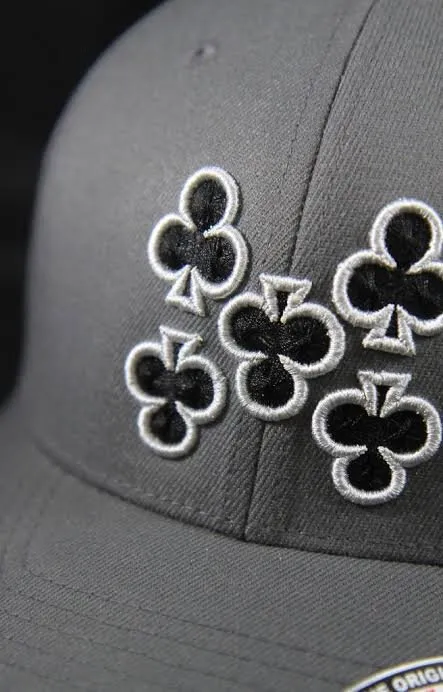
Stitch files with planned underlay, density and pathing for the fabric you sew on.
- Illustration Vector Art Blurry logos redrawn by hand as clean, scalable AI, EPS, SVG and PDF files.
- Illustration Logo Digitizing Brand marks simplified for thread and built as size-specific versions that sew the same every time.
Free quote · No payment to ask
Already have the stitches?
Let's get you the right format.
Send the source file and tell us your target machine or format.