FAQ
Questions shops ask
before the first order.
Can't find yours? Send the artwork with your question in the notes — we'll answer both.
Digitizing basics
What is embroidery digitizing?
Embroidery digitizing is the process of turning artwork into a stitch file that an embroidery machine can sew. A digitizer decides the stitch type, direction, density, underlay, pull compensation and sewing order for every part of the design. The result is a machine file such as DST or PES, built for a specific size, placement and fabric. Learn more on our embroidery digitizing page.
How quickly can you digitize a design?
Timing depends on the size and complexity of the design, since a simple left-chest logo takes far less work than a detailed jacket back. The turnaround for your design is confirmed with your quote before any work begins. If you have a deadline, include it with your request.
Do you use auto-digitizing software?
Not as a one-click conversion. Stitch types, angles, underlay and sequencing are set object by object for the design, because auto-converted files often have poor pathing, excessive trims and density problems that show up on the machine. Planning those decisions takes longer, and it is what a production file needs.
What information should I send with my artwork?
Tell us the finished size (width or height), the placement, the garment or fabric, and the machine format you need. If thread colors matter, include brand and color numbers or Pantone references. Notes about specialty work such as 3D puff, appliqué or a specific cap style help us build the right file the first time.
Files & formats
Which embroidery file formats do you provide?
You can request DST, PES, JEF, EXP, VP3, XXX or HUS, and the format is confirmed with your quote. A standard digitizing order includes one machine format of your choice. If you need more than one, list them in your request and we confirm availability and any charge with the quote. An editable EMB working file is not included automatically; ask if you need one. If you are not sure which format your machine reads, tell us the machine brand and model and we will match it. DST is the Tajima format and PES is native to Brother and Baby Lock machines; your machine manual lists the formats it reads.
What artwork formats can I upload?
You can upload JPG, PNG, PDF, AI, EPS and SVG artwork, as well as existing DST, PES, JEF or VP3 embroidery files. If you only need an existing embroidery file in another format, see embroidery file conversion. Vector files (AI, EPS, SVG or a vector PDF) give the cleanest reference, but a clear raster image works too. If all you have is a photo, screenshot or JPG logo, see image to embroidery file or simply send it and we will tell you what can be done.
Can you digitize low-resolution artwork?
Usually, yes. Shapes and lettering are rebuilt for thread rather than traced pixel by pixel, so a blurry logo can still become a clean stitch file. Very small text or fine detail that cannot be read in the artwork may need clarification, and in some cases we recommend vector redraw first.
Do you provide DST files?
Yes. DST is the Tajima machine format, and machines from other makers, such as Brother, can read it too; check your machine manual. Keep in mind that DST stores stitches and color-change commands but not actual thread colors (see what is a DST file?). Every digitizing order comes with a color and stitch sheet so your operator can assign the right threads.
Is converting a file the same as digitizing it?
No. Converting changes the container format of an existing stitch file, for example DST to PES, without changing the stitches. Digitizing builds the stitches from artwork. If an existing file sews badly, converting it will not fix it; it needs editing or re-digitizing. See embroidery file conversion for details.
Can you edit or fix an existing embroidery file?
Often, yes. Small changes such as adjusting density, removing an element or changing lettering can be made if the file sews reasonably well to begin with. Files with serious structural problems, or stitch files resized far beyond their original size, are usually better re-digitized. Send the file and artwork and we will advise before quoting.
Caps, puff & patches
Can you digitize a logo for a cap?
Yes. Cap fronts are one of the most common jobs we handle. Tell us the cap style (structured, unstructured, trucker or low profile) and the size you want, and we will lay out and sequence the design for the crown. See cap digitizing for how we approach headwear.
What's different about cap digitizing?
A cap is sewn on a curved frame, often with a center seam running through the design. Cap files are sequenced from the center outward and bottom to top so fabric is pushed evenly, with extra underlay to lock down the seam. Sewable height is also limited, and the usable area depends on the cap style, front construction and machine frame.
Can the same file be used for a shirt and cap?
Sometimes it will sew, but it rarely sews well. A shirt file is sized and sequenced for a flat hoop, and on a cap it tends to cause outlines drifting away from fills and lettering bunching at the seam. We recommend a separate cap version of the design.
Do you offer 3D puff digitizing?
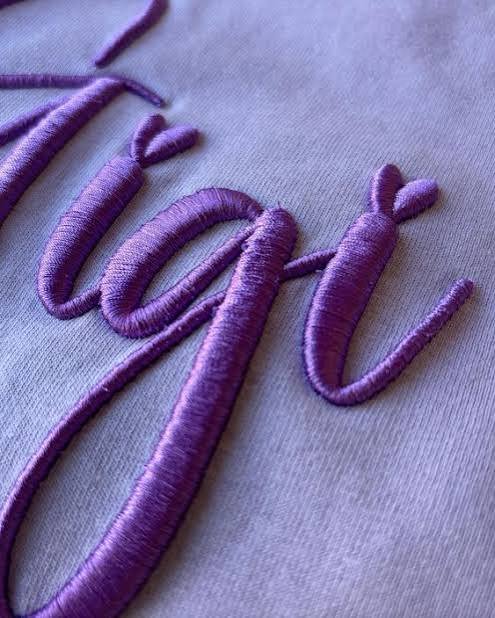
Yes. Puff files use wider satin columns, higher density and capped column ends so the needle cuts the foam cleanly and covers it completely. Puff works best on bold lettering and simple shapes rather than fine detail. Read more on our 3D puff digitizing page.
Do you digitize patches?
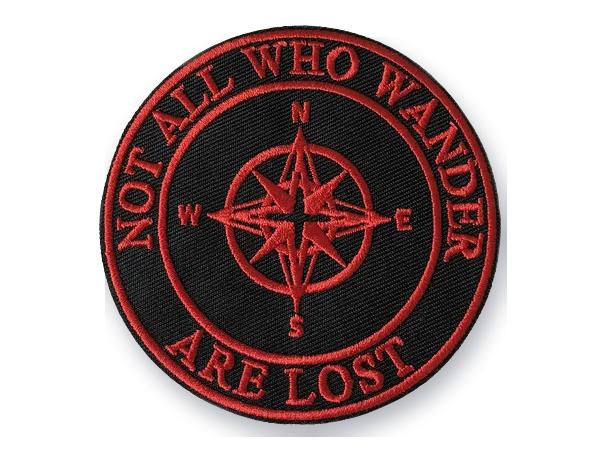
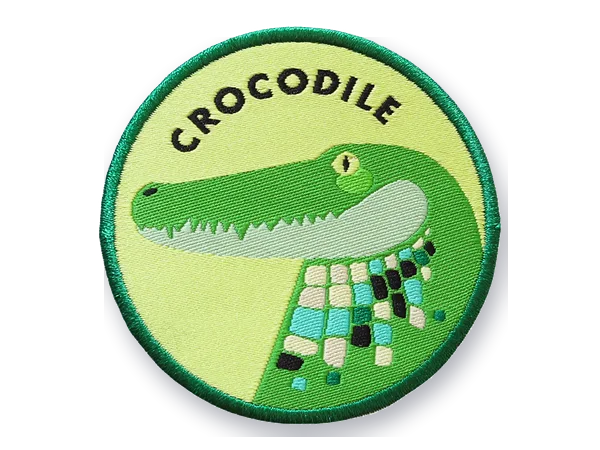
Yes. We digitize embroidered patches with full background fill and either a satin border or a border prepared for merrow edging, depending on how you finish them. Let us know the patch size, shape and backing method. See patch digitizing.
Can you digitize very small lettering?
Yes, within practical limits. No single minimum height applies to every job: the font, thread, fabric, machine setup and finished size all affect how small lettering can sew cleanly. When text is very small, we adjust the font, spacing and stitch type to keep it legible. See small lettering digitizing.
Ordering, pricing & revisions
How is embroidery digitizing priced?
Price depends on the design size, estimated stitch count, level of detail and any specialty techniques such as 3D puff, appliqué or large jacket backs. Every design is quoted individually, and you see the price before we start. Nothing is charged without your approval. See pricing for how the tiers work.
How are revisions handled?
Case by case. Send your order reference and what you would like changed; if something sews poorly, include a photo of the sew-out with the fabric and backing used. We review the request against the original order and tell you whether any charge applies before further work starts. New text, a different layout or added elements are usually treated as new work.
Can you create multiple sizes?
Yes. A design that needs to sew at left chest, cap front and jacket back is best digitized as separate size variants rather than scaled from one file. Stitch counts, density and small details all need to change with size. Additional sizes are quoted as variants.
Do I get an editable source file?
Not automatically. Your order includes the machine file in the format you choose. An EMB working file keeps the object data, so it can be edited and resized properly in Wilcom-compatible software; if you need one, ask in your request and we confirm whether it can be supplied, and any charge, before work starts. Machine formats like DST hold only stitch data and are not meant for major edits.
Can I reuse the files you deliver?
Yes. You can keep the machine files delivered with your completed order and use them on your own machines or give them to another embroidery decorator. This covers the delivered machine files, not an editable working file. Rights in the artwork itself, such as a logo or trademark, stay with whoever owns them; a stitch file does not transfer them.
Free quote · No payment to ask
Your artwork is ready.
Let's make it stitch-ready.
Upload the design, tell us where it needs to sew, and we'll take it from there.